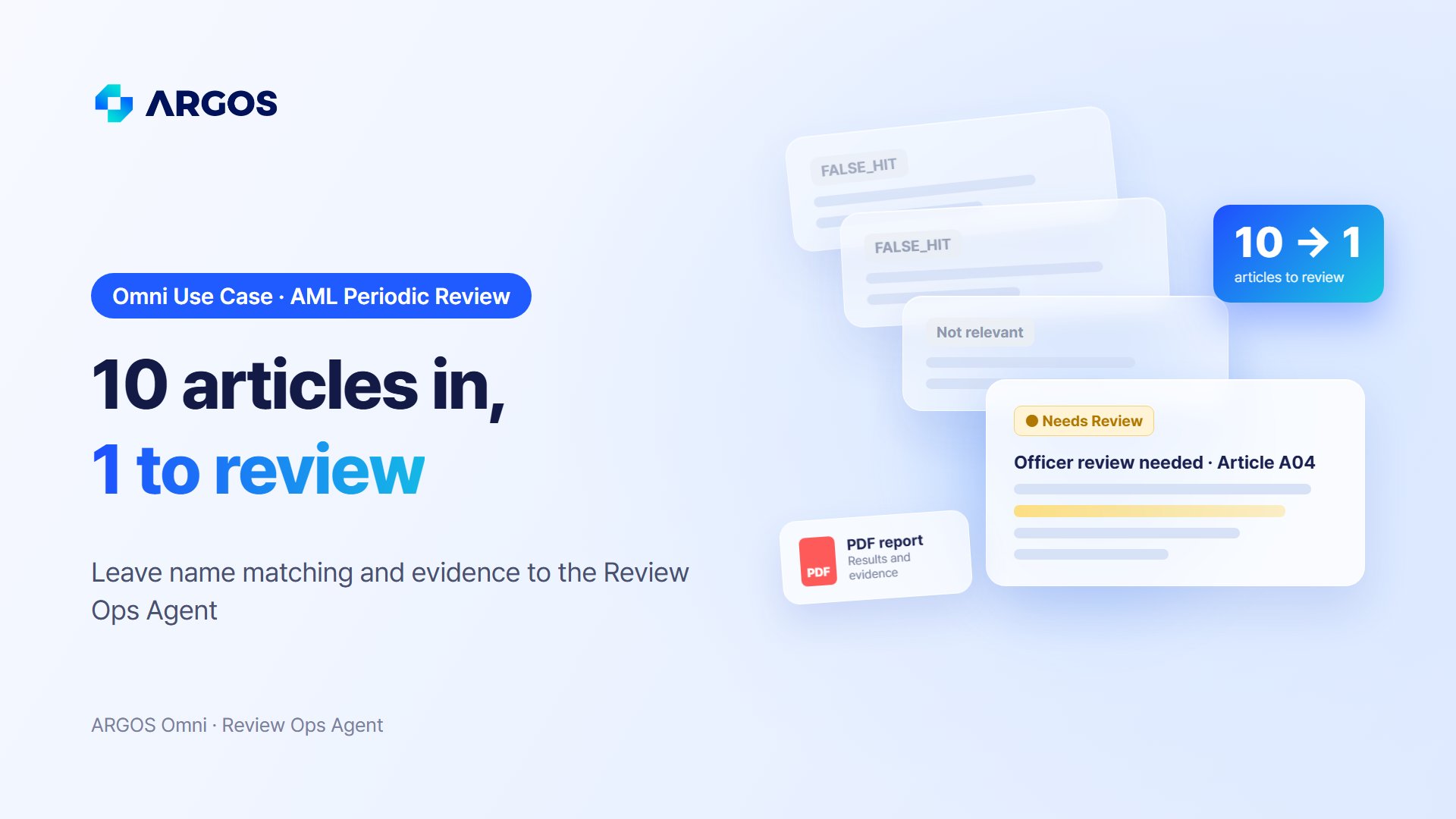
The bank, companies, people, and articles in the video are fictional. The product screens show ARGOS Omni running on sample data.
Why adverse media review takes so long in AML periodic reviews
Adverse media screening checks whether a customer or counterparty appears in news coverage linked to financial crime, sanctions, corruption, or similar risks. It is required at onboarding, and it comes back at every periodic review. The review is slow not because the decisions are difficult, but because the matching and record-keeping around each decision are still done by hand.- Same-name matching: Screening casts a wide net on names, so it also pulls in people with the same name and companies with similar names. For every article, the officer compares age, nationality, country of registration, and profession against the customer record.
- Recording the reason: “Not our customer” is not enough. Internal reviewers and auditors need to see what was different and why the article was set aside.
- Consistency: When the criteria live in each officer’s head, the same article can be cleared by one officer and escalated by another.
How the ARGOS Omni Review Ops Agent runs an AML periodic review
ARGOS Omni is an AI Agent that understands a company’s processes and rules, then carries out the repetitive review, comparison, and documentation work that follows from them. In the video, the Review Ops Agent handles a periodic corporate review in the following steps.1. Write the criteria in plain language, then upload each customer’s folder
The bank writes its review criteria for the Review Ops Agent in plain language: how to identify the subject, how to match entities in each article, how to judge AML/CFT relevance, and how to reach a final decision. Omni turns that policy into playbook actions that run for every article. The officer then uploads one folder per customer, containing the customer information sheet and the articles found by screening. The Review Ops Agent reviews every article and sorts each customer into approved, manual review, or rejected.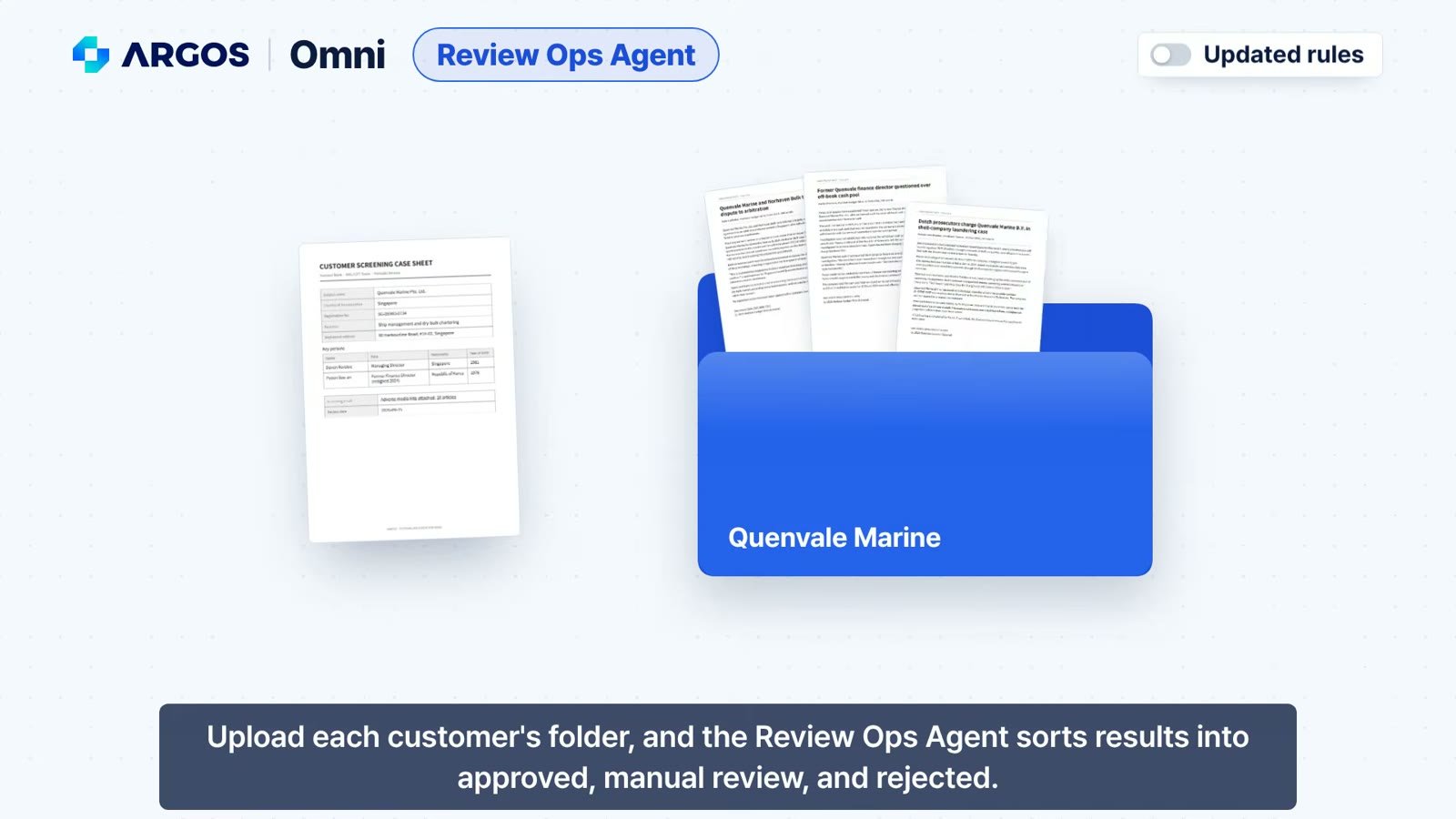
Upload each customer's folder, and the Review Ops Agent sorts the results (sample data)
2. Same-name hits are set aside, with the reason on record
For each article, the Review Ops Agent compares the people and companies in the article with the customer record: name, country, place of registration, business line, officers, and age. If the name matches but the country or age clearly does not, the article is marked FALSE_HIT, and the exact differences are written into the match reason. In the video’s fictional case, an article about a 63-year-old Canadian mortgage broker shares a name with the customer’s 45-year-old managing director in Singapore. The agent sets it aside and records why: different age, different country, and a different profession. The comparison an officer would have done by hand now lives in the record.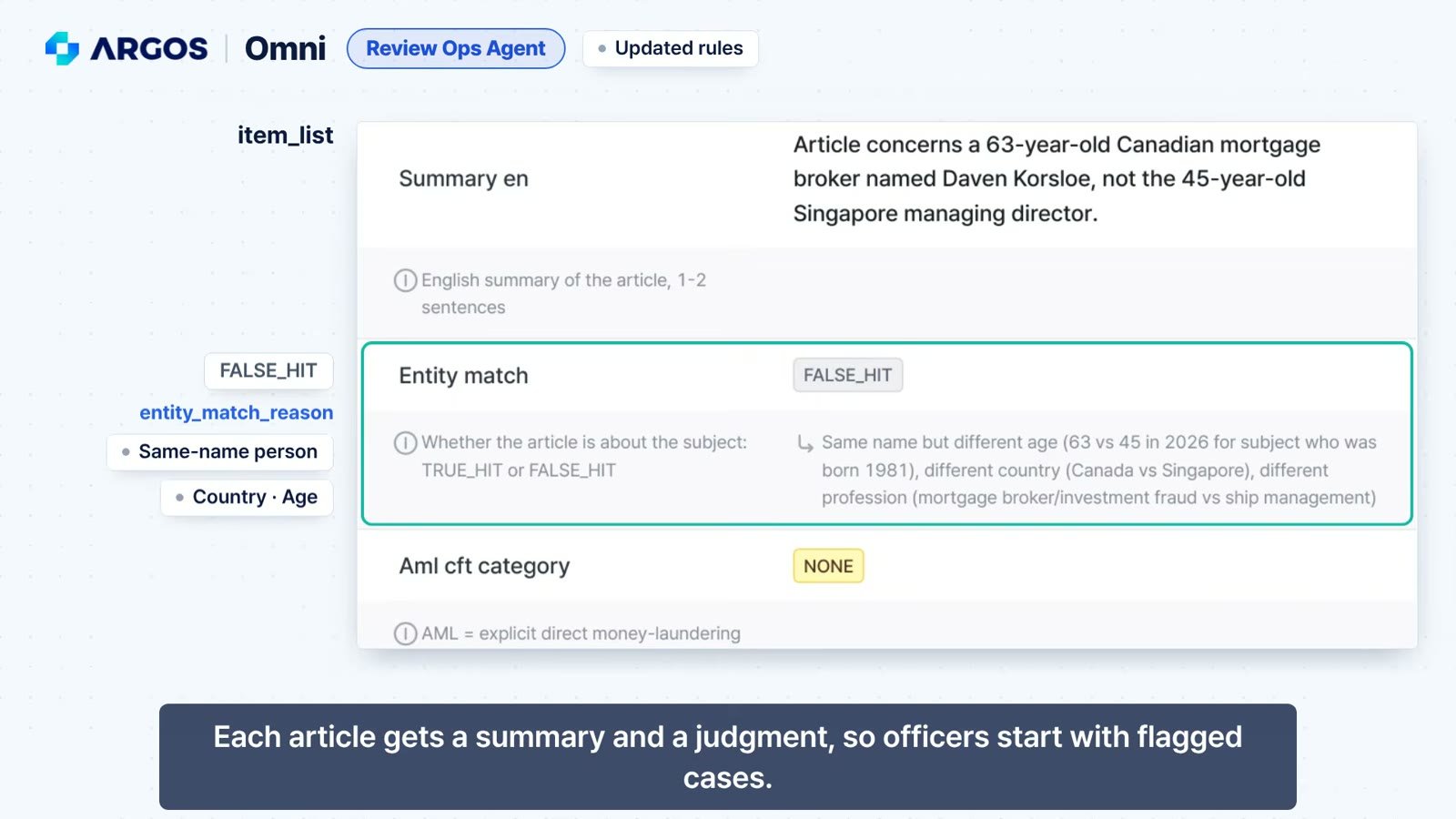
Each article gets a summary and an entity match result, with the reason for every FALSE_HIT
3. Every result traces back to the original article
Each result carries a source document ID that points back to the original article printout. When an auditor asks which article a decision was based on, the officer can open it in seconds. All results and evidence are also compiled into a PDF report, and the same results can be sent to internal systems through the API.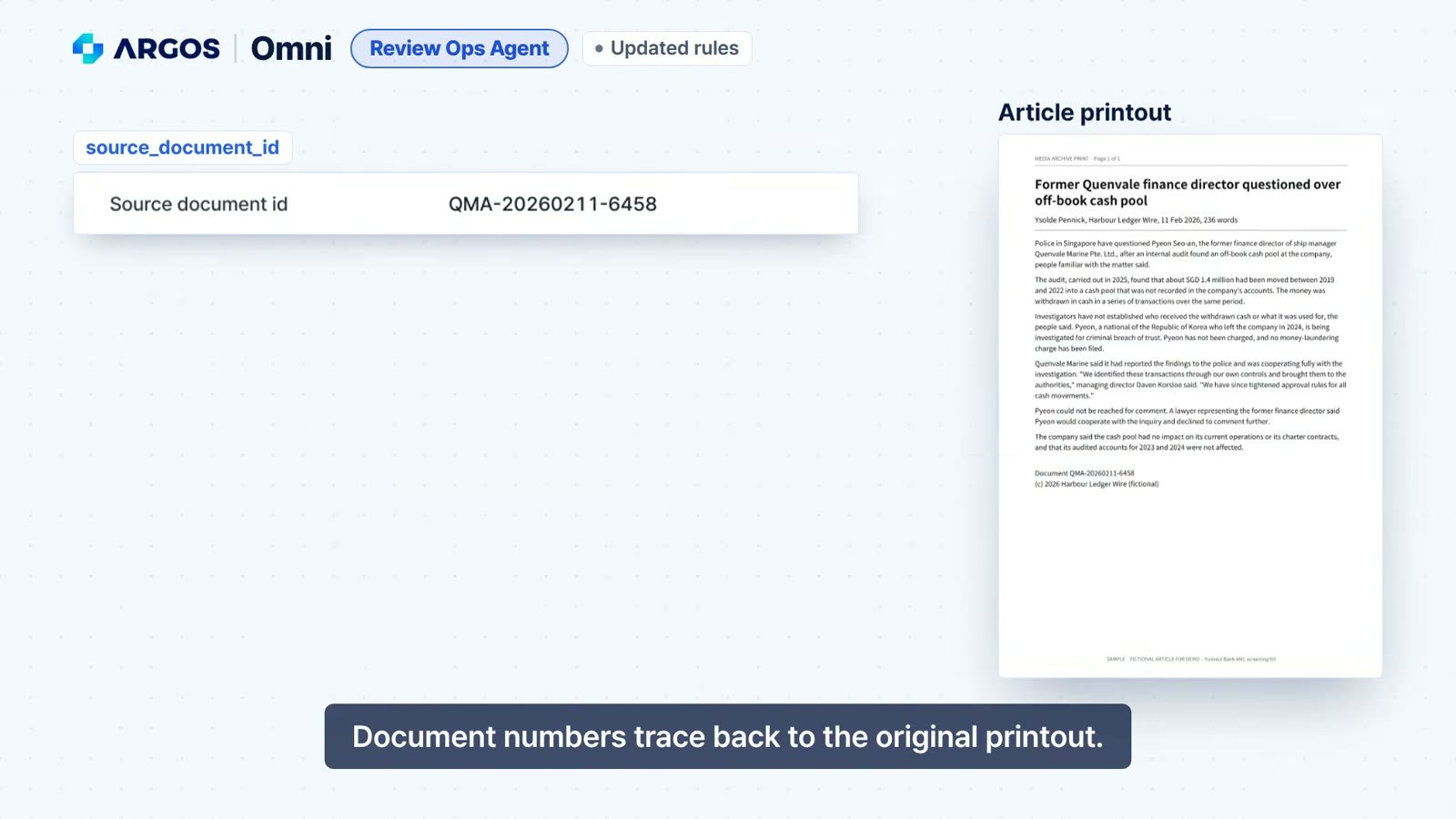
Document numbers trace each result back to the original article
4. When standards change, edit one rule sentence
Review criteria change over time. In the video, the bank adds a new internal rule: an article about a suspected off-book fund, where the recipient and purpose of the money are unconfirmed, should go to officer review. Instead of rebuilding the workflow, only the rule sentence is edited. On the next run with the same profile and the same articles, the article about a former finance director questioned over an off-book cash pool (A04) moves from approved to manual review.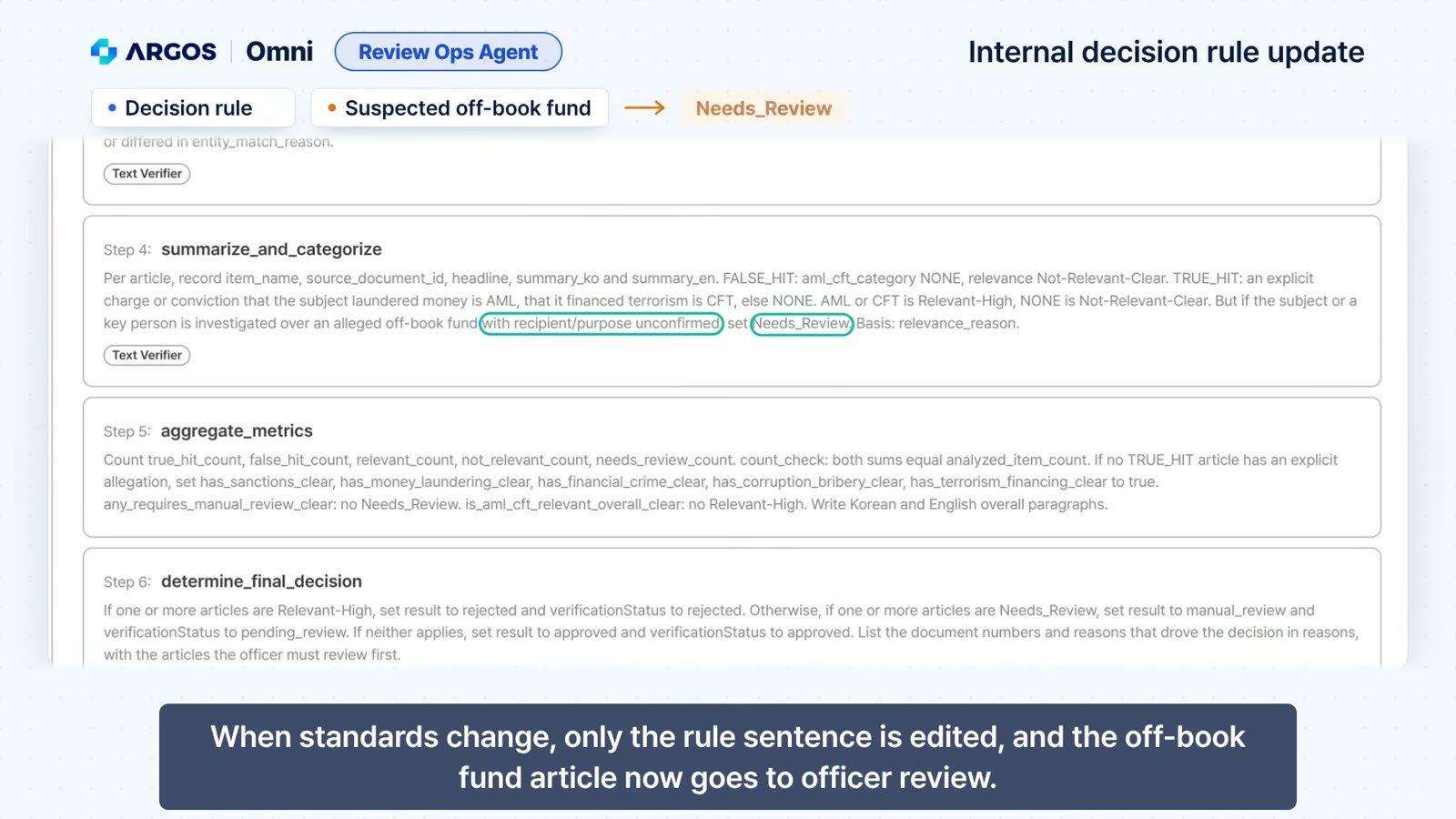
Only the rule sentence changes, and the off-book fund article now goes to officer review
The agent prepares the evidence. The officer makes the call.
The Review Ops Agent does not make the final decision for the officer. Cases that need human judgment are moved to manual review, and the reason, the rule that was applied, and the exact source article are prepared in advance. Instead of rereading every article from the start, the officer checks the flagged case and its rationale and makes the final call on that one article.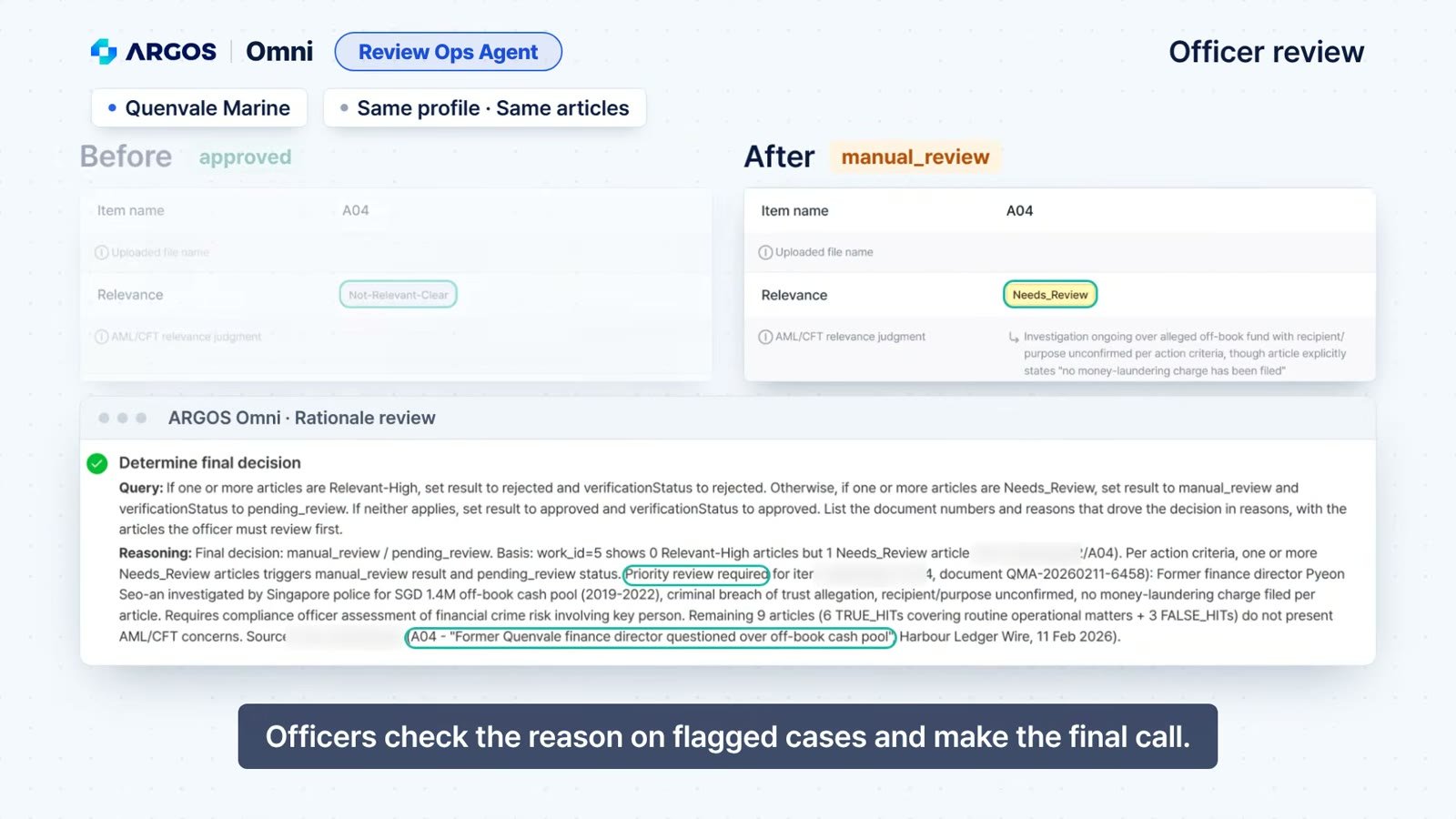
Officers check the rationale on flagged cases and make the final call
- Less time per review: The agent handles same-name matching and documentation, so officers start with the flagged cases.
- Audit-ready records: Every decision keeps its reason, the rule applied, and a link to the original article, plus a PDF report.
- Consistent decisions: Every article is reviewed against the same written criteria, and a change in policy is a change in one sentence.
See how Omni fits your AML review process
In AML periodic reviews, matching and record-keeping take more time than the decisions themselves. The ARGOS Omni Review Ops Agent takes on that repetitive work so your officers can focus on the cases that need their judgment. If there is an AML review task that takes up most of your team’s time, let us know. We will show you how it runs as an Omni process. 👉 Learn more about ARGOS Omni 👉 Watch the AML Adverse Media use case video 👉 Meet the Review Ops Agent: From Operator to Supervisor 👉 Another use case: AML Alert Review 👉 Read more: How Can You Trust an AI-Driven Review? Six Months of ARGOS Omni ① 👉 Contact us: sales@argosidentity.com