
What’s new
One look and one way of working across ID check and Omni
Until now, buttons, input fields, and tables looked slightly different between the two dashboards. Both now share 41 common interface components built to the same standards. What you already know from ID check works the same way in Omni.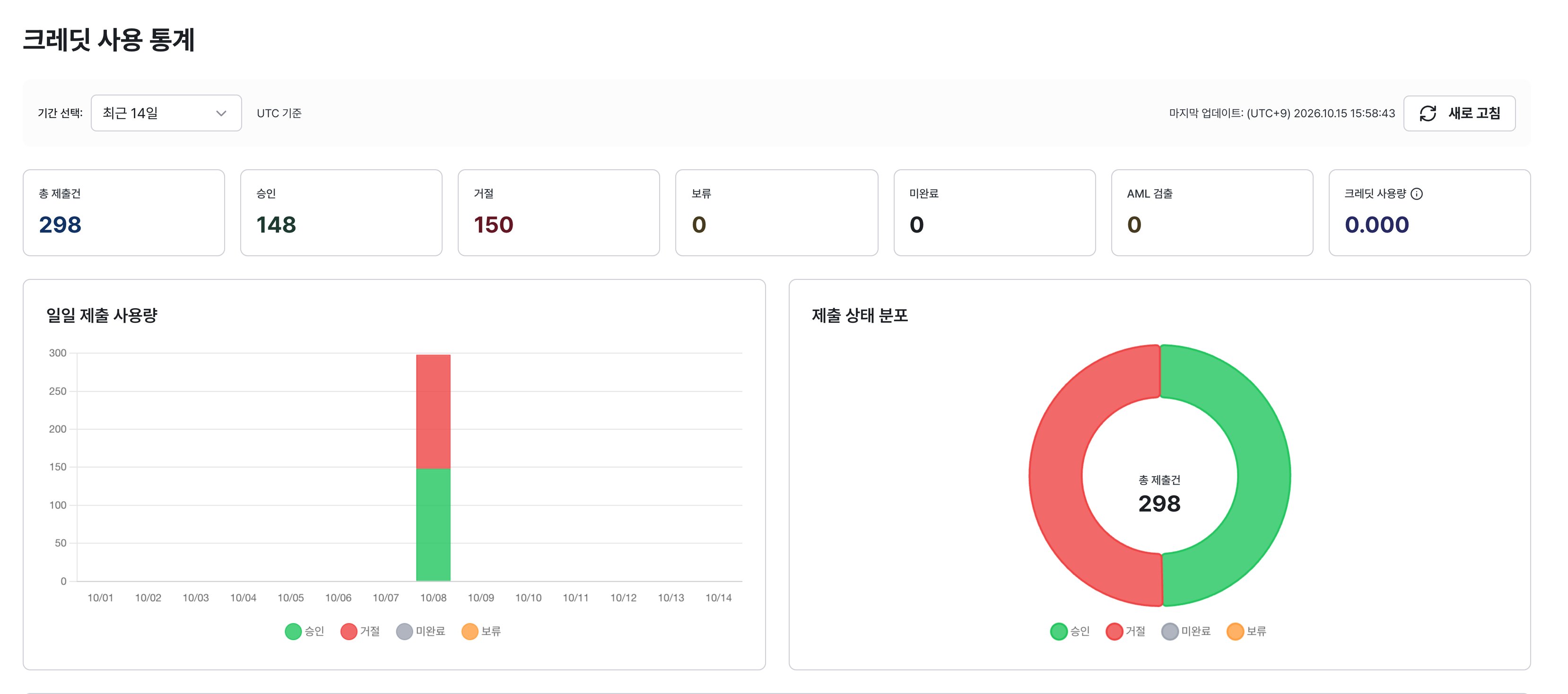
The credit usage statistics screen in the ID check dashboard with the new design. Status counts, daily submissions, and the submission status breakdown use the same card style. (Shown in the Korean interface.)
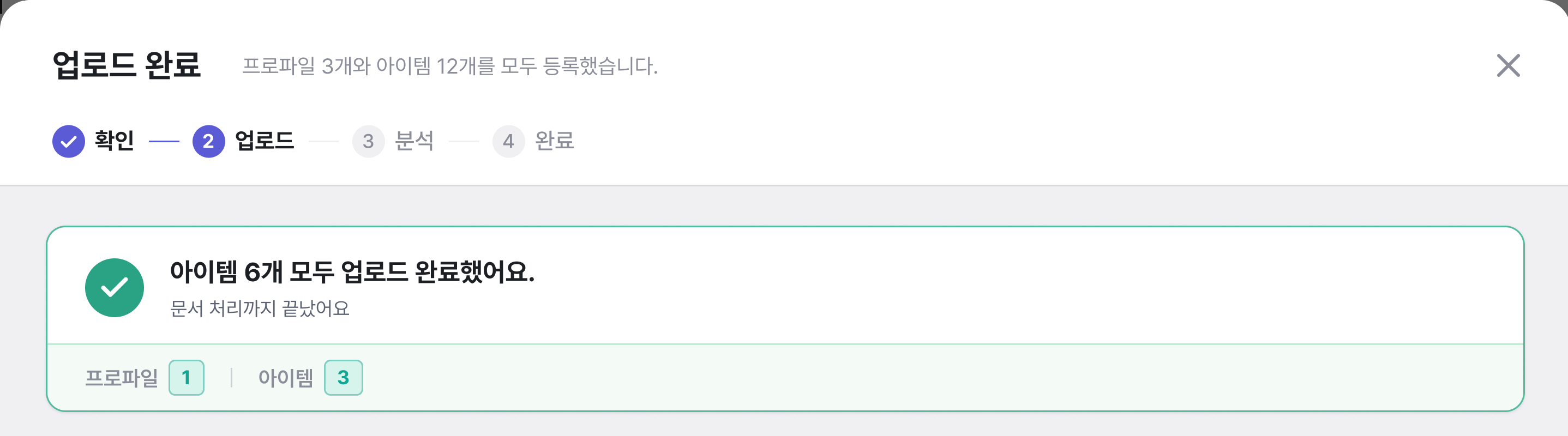
The document upload screen in Omni with the new design. Progress steps, the completion message, and counts follow the same colors and shapes as ID check. (Shown in the Korean interface.)
A more consistent interface
Elements that do the same job now look the same on every screen.- Buttons: Primary actions use the brand color, while secondary actions use a quiet gray outline.
- Status labels: Statuses such as In progress, Approved, Needs review, and Rejected use the same colors and shapes everywhere.
- Text and spacing: A clear type scale and consistent spacing make information easier to scan.
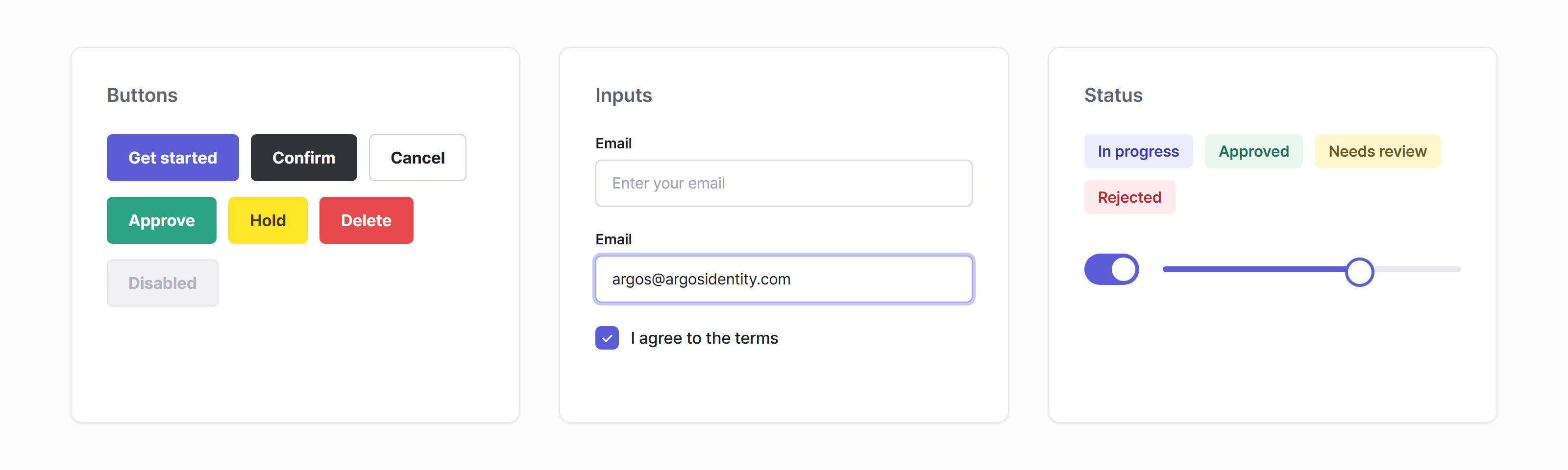
Buttons, inputs, and status labels shared by both dashboards. Each color has one meaning: green for approve, yellow for hold, and red for delete or reject.
Easier to use
- When you navigate with a keyboard, the focused element is clearly highlighted.
- Buttons and fields you can’t use right now have their own distinct colors, so you can spot them at a glance.
- Wide tables scroll horizontally instead of squeezing their content.