
What is a design system? Design tokens, components, and screens
A design system is a shared agreement between planning, design, and engineering: a set of base values for color, type, and spacing (design tokens), and the components built from those values. It works in three layers.- Design tokens: Base values such as “this is our brand color” or “this is the body text size.” Every screen uses these values.
- Components: Elements that repeat across screens, such as buttons, input fields, date pickers, and tables. How each one looks on hover, on click, and when disabled is defined in advance.
- Screens: The actual pages, assembled from these components.
Four changes you will notice in the ID check and Omni dashboards
1. One UI and one behavior across ID check and Omni
The buttons, input fields, and tables you know from the ID check dashboard now look exactly the same in Omni. They darken slightly on hover, one step more on click, and show a clear focus outline when you navigate with a keyboard. You can move between the two products without learning anything new.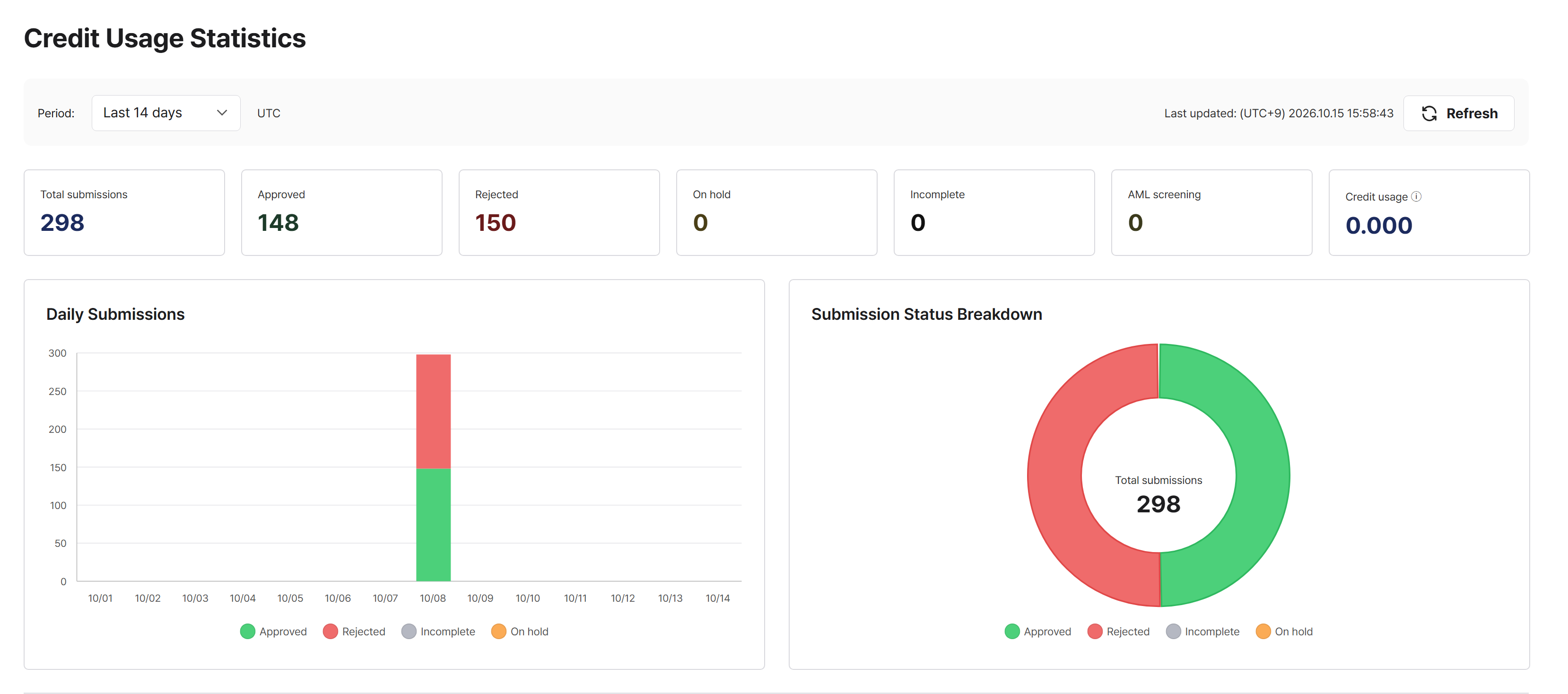
The credit usage statistics screen in the ID check dashboard with the new design. Status counts, daily submissions, and the submission status breakdown use the same card style.
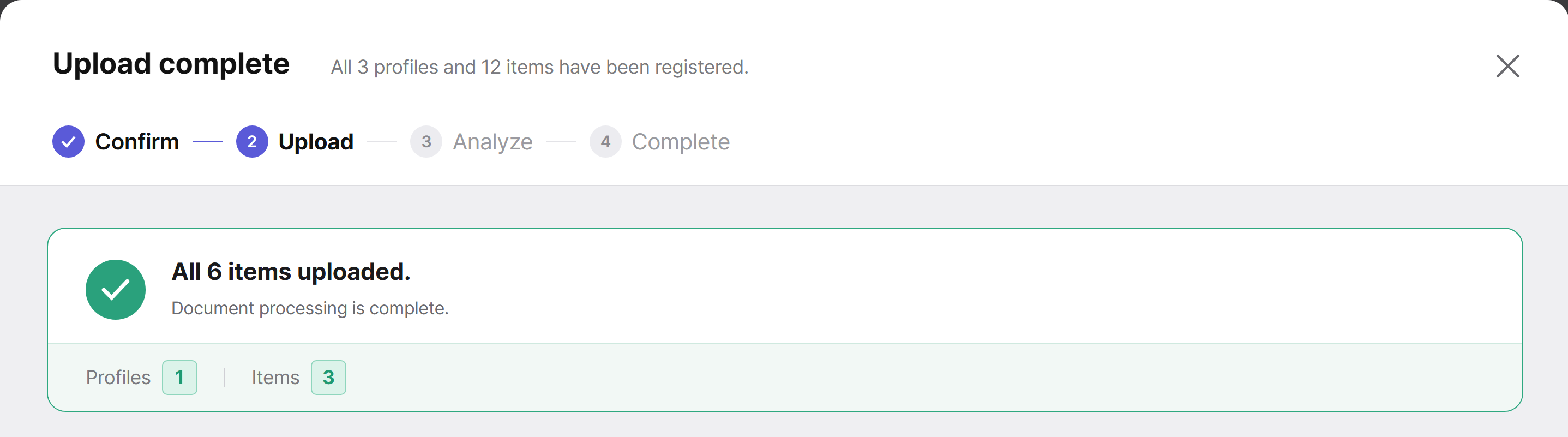
The document upload screen in Omni with the new design. Progress steps, the completion message, and counts follow the same colors and shapes as ID check.
2. Approved, in review, rejected: read the status by color
Approved is green, in review is yellow, and rejected is red. Badges, notifications, and tables all follow the same color system. For a product that handles identity verification results, we believe the most important thing is seeing at a glance where each case stands.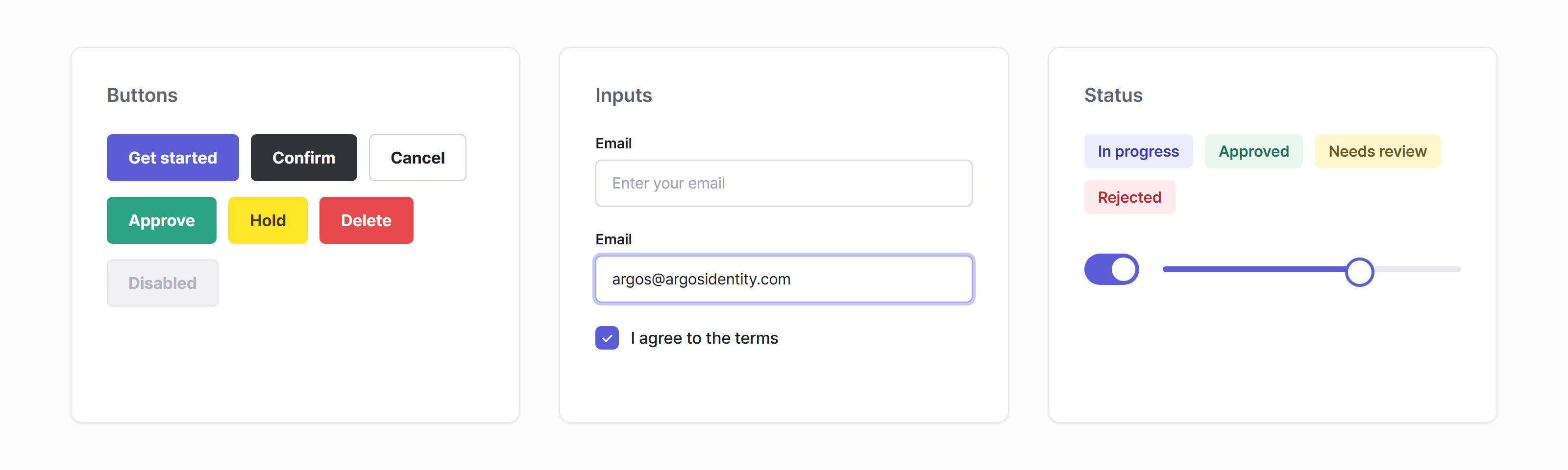
Buttons, inputs, and status labels shared by both dashboards. Each color has one meaning: green for approve, yellow for hold, and red for delete or reject.
3. Better readability with a single typeface and contrast checks
We unified all text in one typeface, Pretendard, and cleaned up the type scale so headings, body text, and helper text are clearly distinct. We also set a standard for text-to-background contrast and checked against it, so that even small helper text is easy to read.- Buttons and fields you can’t use right now have their own distinct color, so you can spot them at a glance.
- Wide tables scroll horizontally instead of squeezing their content.
4. Fix once, and both products improve together
This is the least visible change, but the biggest one. When we find an issue, we no longer fix it screen by screen. We fix the system once, and the result reaches both the ID check dashboard and Omni. While preparing this release, a single change to the type system updated about 290 screen files at once. That means your feedback will reach the product that much faster. Because we can change things quickly, every change goes through checks before it reaches your screen.- Automated tests and component documentation (Storybook) verify behavior and appearance.
- Designers compare the design with the real screen and approve it.
- Changes are recorded in a changelog before release.
Where IRIS stands today: ID check dashboard v4.0.0 · Omni v3.0.0
From this update (ID check dashboard v4.0.0 · Omni v3.0.0), both products run on the IRIS Design System.- By screen file, 75% of the ID check dashboard and 84% of Omni are built from design system components.
- 41 components are ready, from buttons, inputs, and badges to date range pickers, data tables, and sidebars.
Help us improve the ID check and Omni dashboards
Our design and engineering teams will keep caring for it together so that every screen is a signal that answers one question: “Can I trust this verification?” If you come across a screen in the new version that looks different from the rest, please let the ARGOS Identity Support Center know. We won’t just fix that one spot. We will fix the system so every screen gets better together. Thank you. The ARGOS Identity Team