All companies, people, and documents in the video are fictional demo data. Office scenes use AI-generated people and are dramatized. The Omni screens show real runs on the fictional documents.
Why US business KYB takes so long
Business onboarding (KYB) confirms who a company is and who owns or controls it. For a US business, that usually means three documents and three questions.
The 25% owner and single control person requirements come from the FinCEN Customer Due Diligence (CDD) rule (31 CFR 1010.230).
The review is slow not because the rules are unclear, but because every value has to be read, compared across documents, and written down by hand.
- Cross-checking: The legal name and EIN have to match across all three documents, letter by letter.
- Status and dates: A “forfeited” or “inactive” status line is easy to miss, and every document has to be recent enough.
- Recording the reason: Internal reviewers and auditors need to see which value led to the decision, not just the decision itself.
How the ARGOS Omni Review Ops Agent reviews a US business
ARGOS Omni is an AI Agent that follows your company’s process and rules, and takes on the repetitive reading, comparing, and record-keeping. In the video, the Review Ops Agent reviews three fictional US businesses with the same policy.1. Your onboarding procedure becomes a playbook
You write your onboarding procedure in plain English, and Omni turns it into a playbook, one check per step. In the video, the steps include verifying that all three documents were submitted, reading the state certificate, reading the EIN notice, reviewing beneficial ownership, and checking good standing and dates.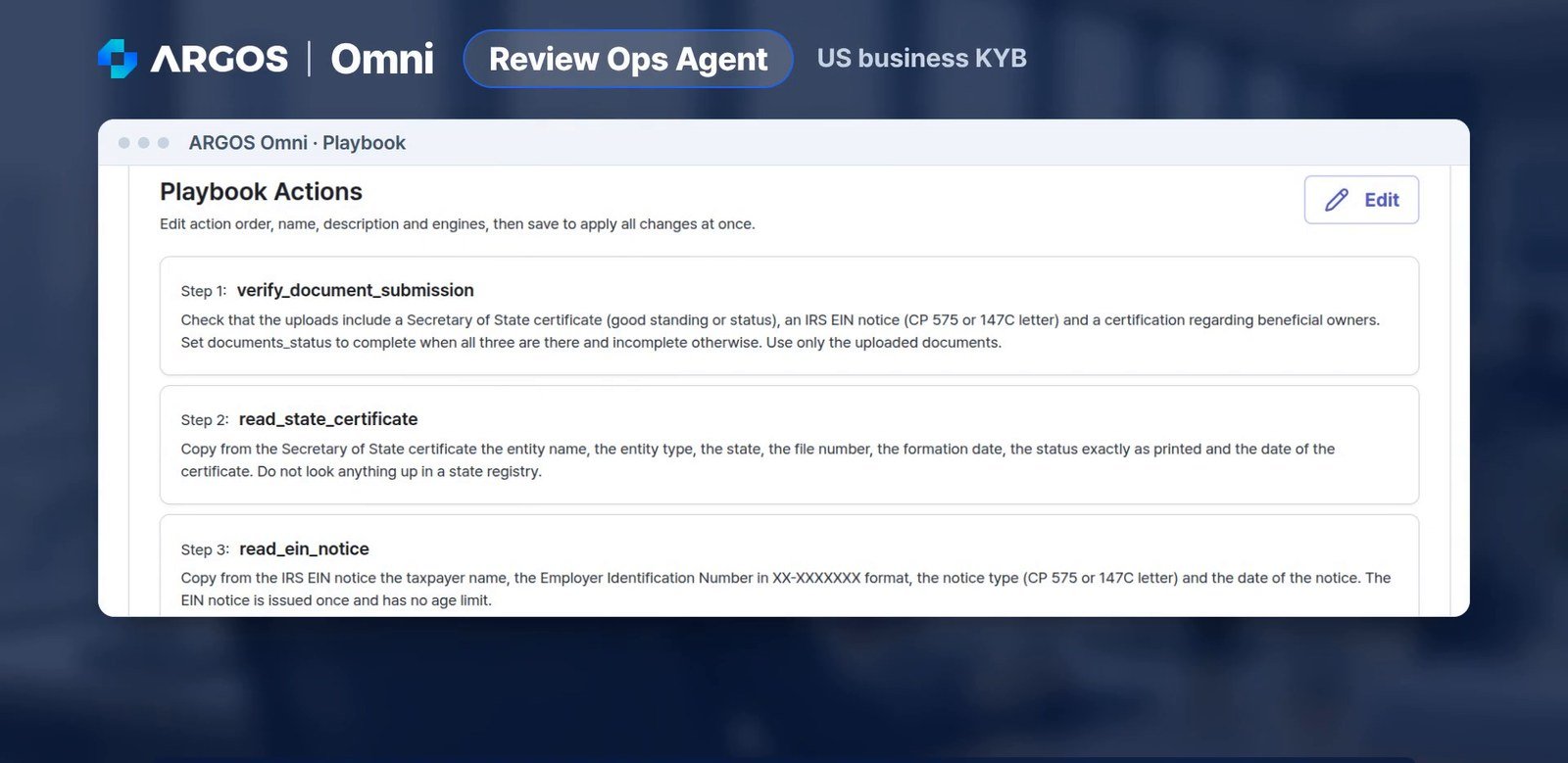
The onboarding procedure, written as playbook steps in plain English
2. Case A: everything in order, approval recommended
The first case is a Delaware LLC with all documents in order. The agent extracts each value into decision variables: the EIN notice type, name match, standing status, whether each certificate is within 90 days, ownership status, and whether a control person is provided. Every check passes, and the agent recommends approval.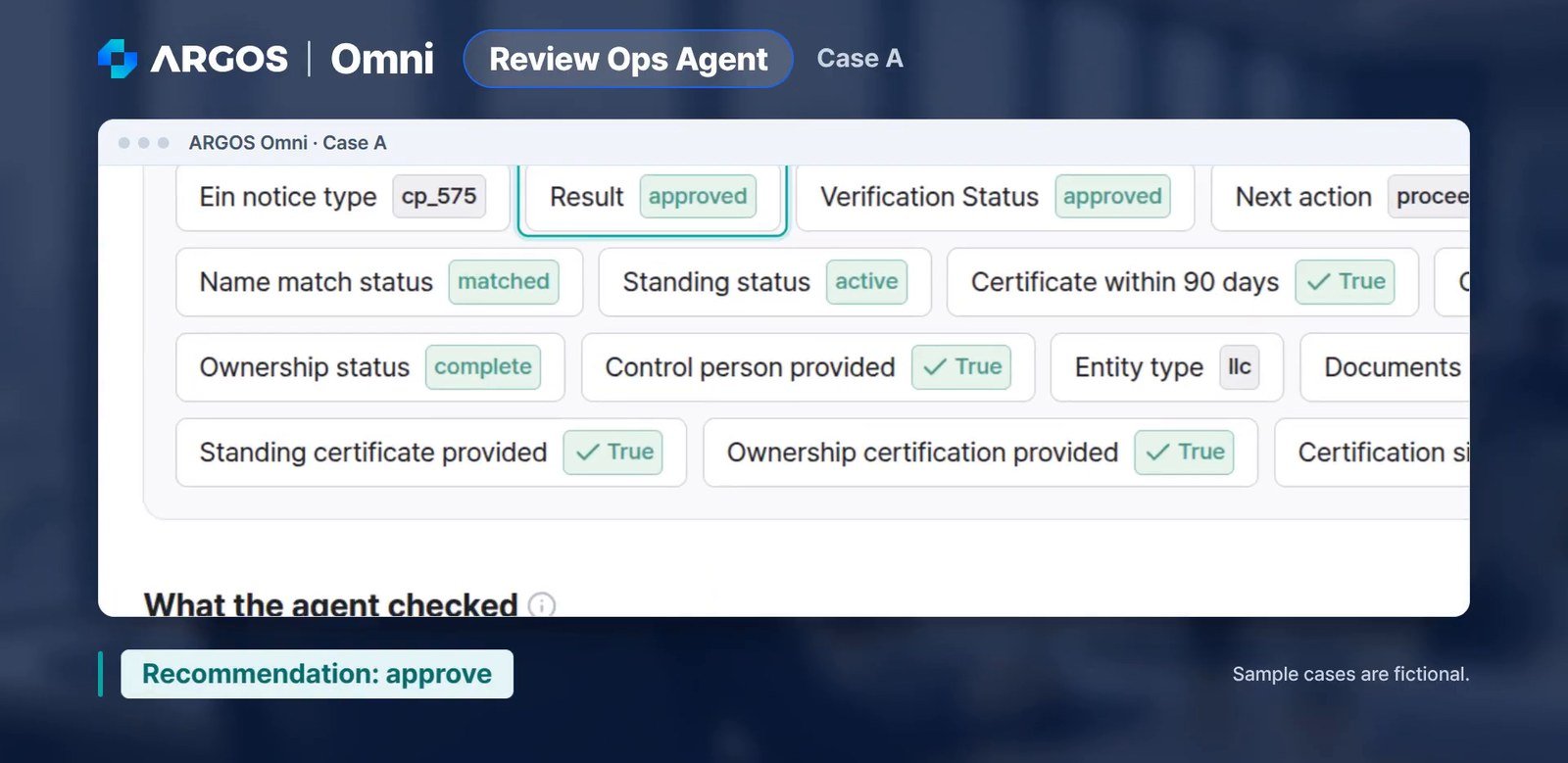
Case A: every decision variable passes, and the recommendation is to approve (fictional data)
3. Case B: no control person, document request recommended
In the second case, the beneficial ownership form lists two owners, but the control person section is left blank. The agent flags the ownership review as failed and shows exactly where it found the gap.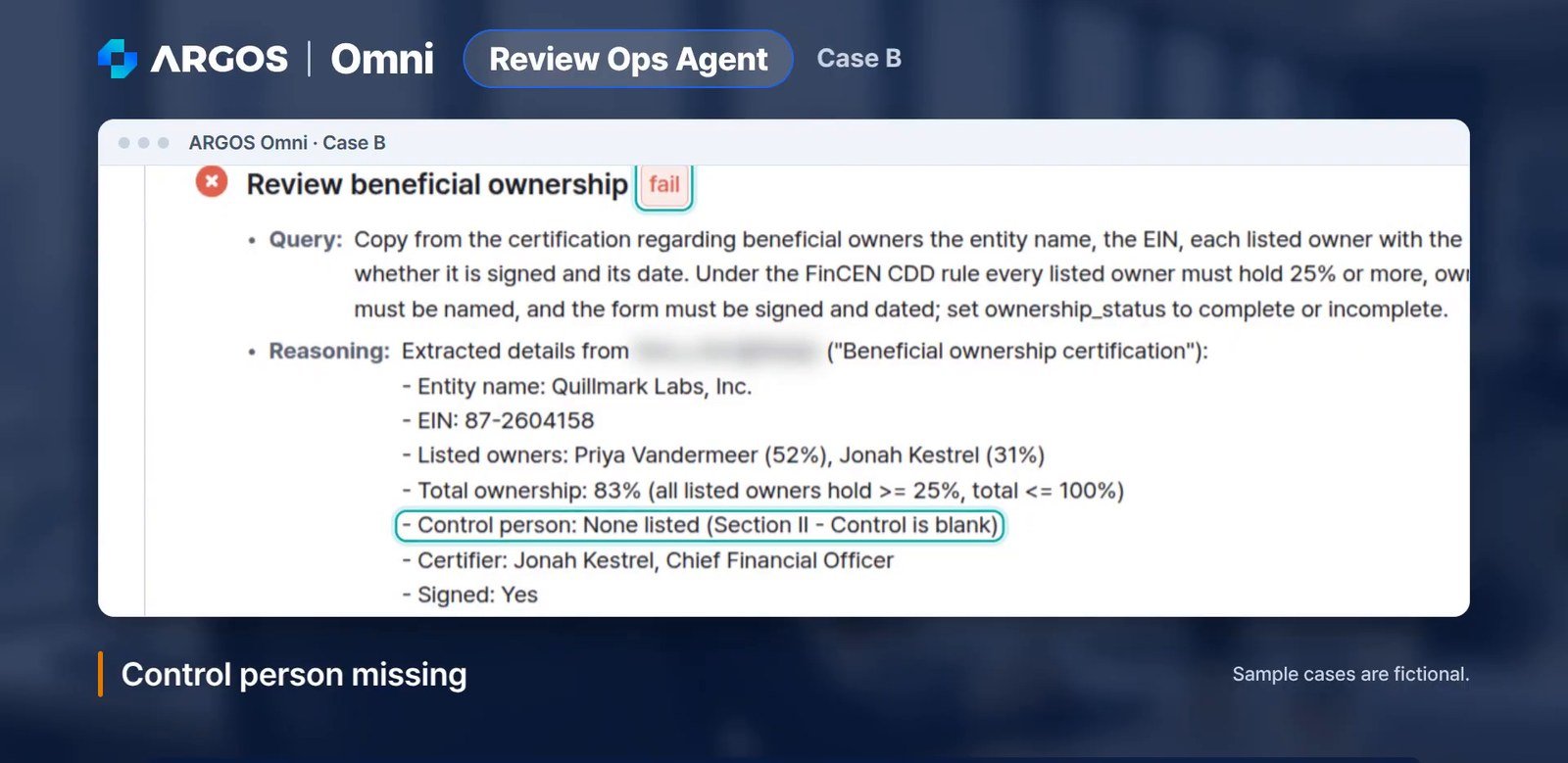
Case B: the control person section of the ownership certification is blank
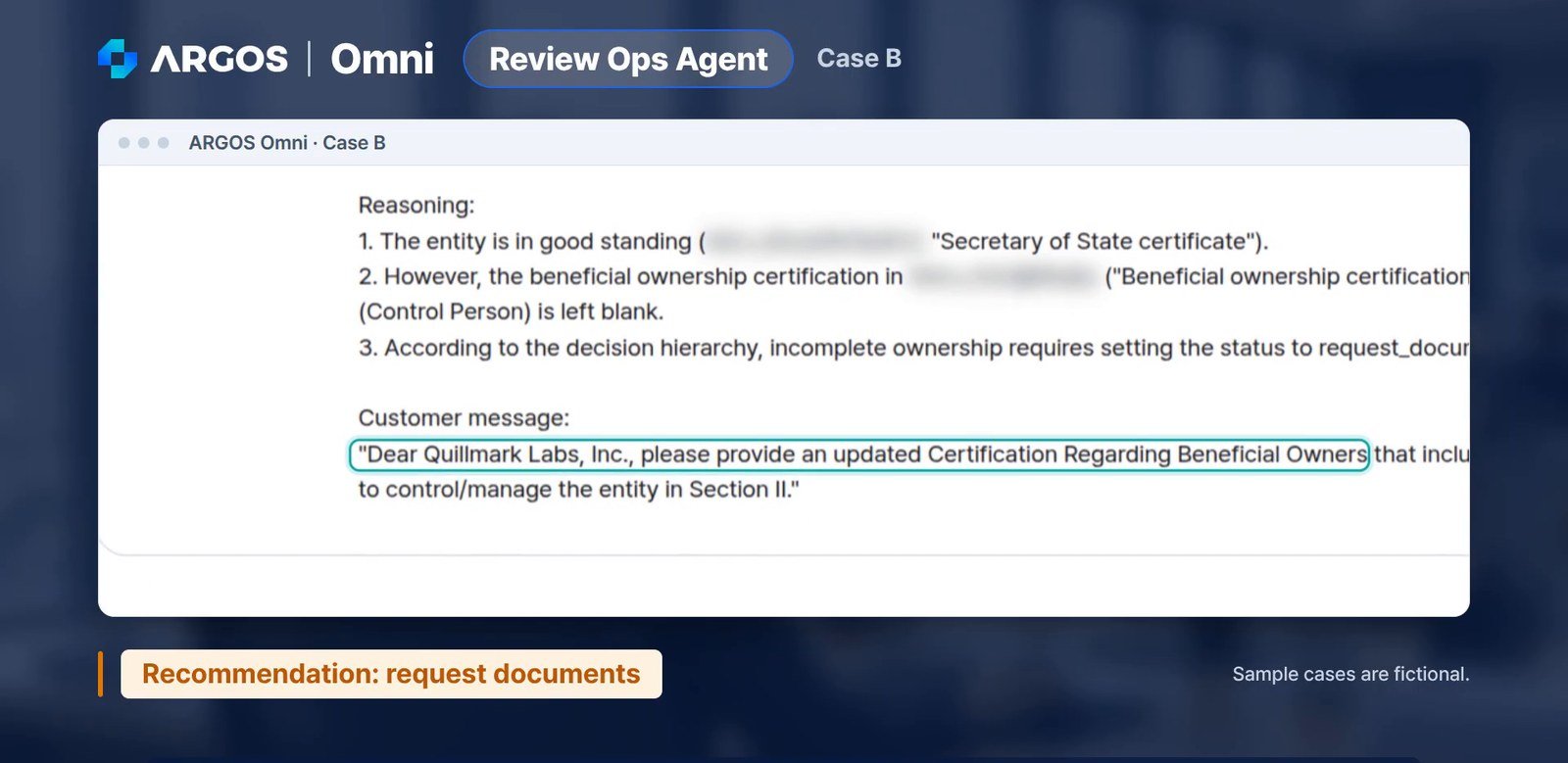
Case B: the agent recommends a document request and drafts the customer message
4. Case C: existence forfeited, decline recommended
In the third case, the names and EIN match, but the Secretary of State certificate shows the corporation’s existence was forfeited. Under the policy, an entity that is not in good standing cannot be onboarded. The recommendation is to decline, with the reason on record.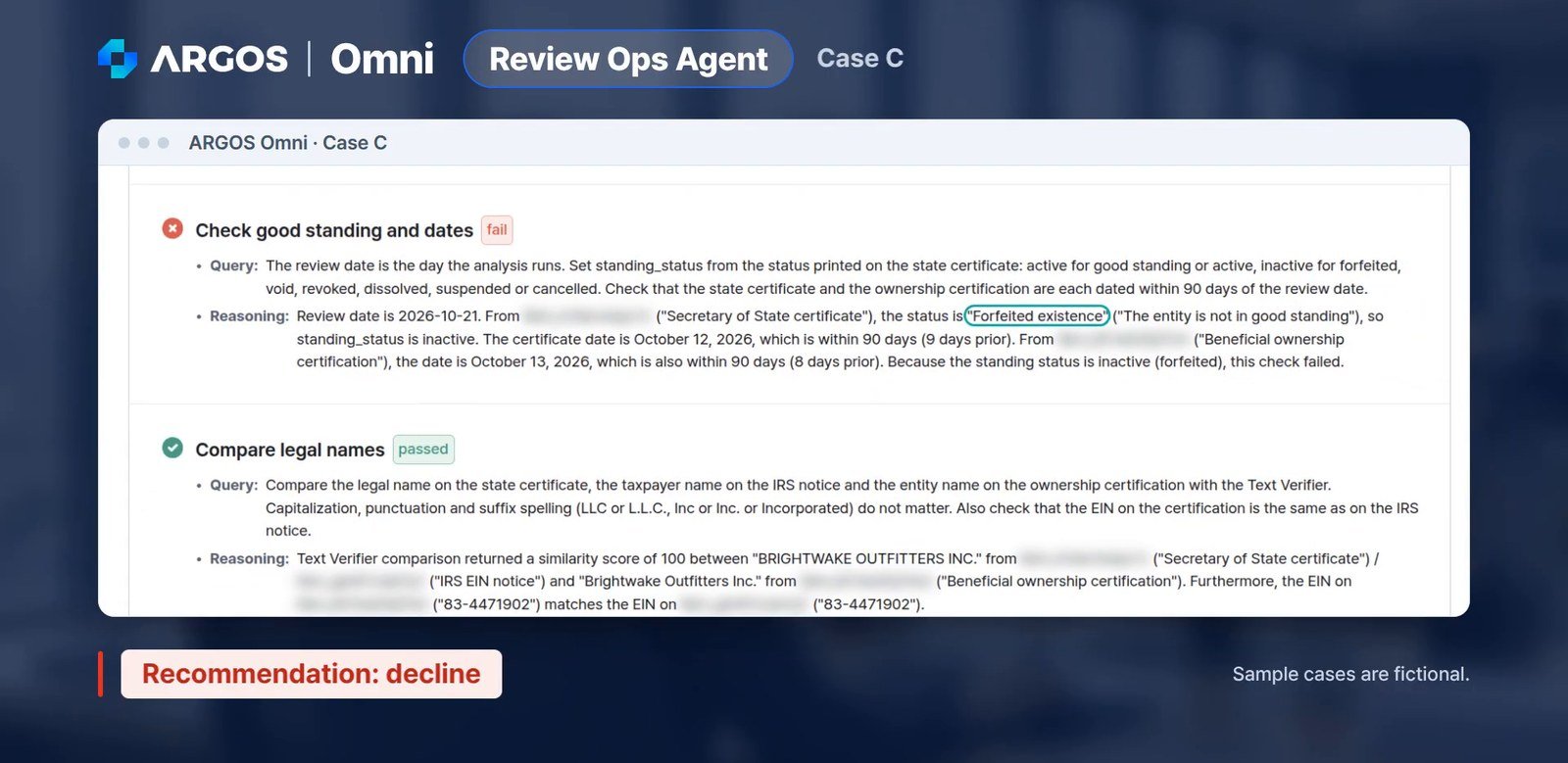
Case C: the good standing check fails on a forfeited status, and the recommendation is to decline
Every value shows where it was found
In the final report, each value comes with a line on where it was found: the EIN and which notice it came from, the taxpayer name, the notice date, and the notice type. An analyst can check the agent’s work in seconds, without reopening every document.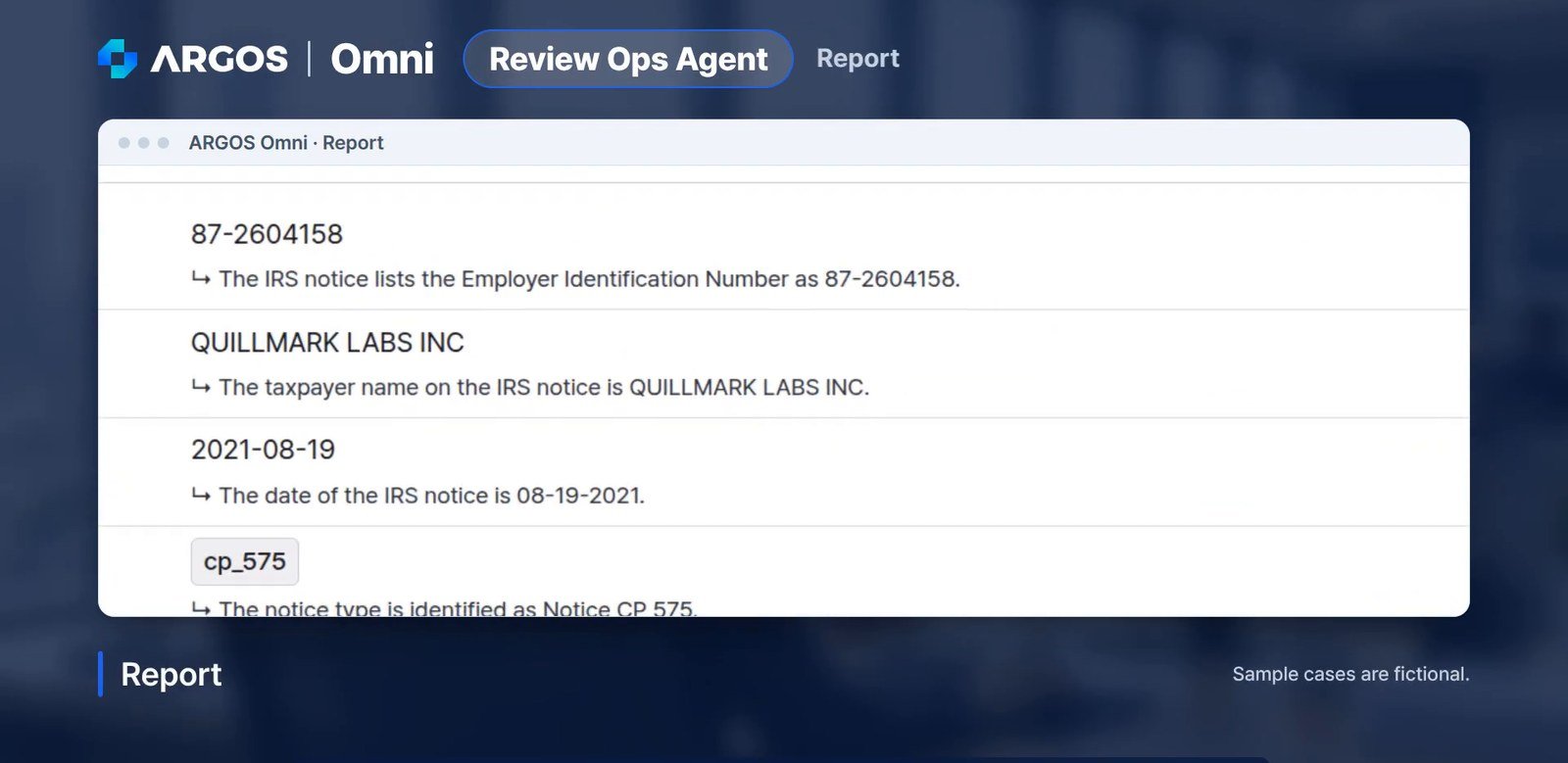
Each value in the report comes with a line on where it was found
The agent recommends, the analyst decides
Omni’s outcomes are recommendations. The onboarding decision stays with your team. The agent handles the reading, cross-checking, and record-keeping, and the analyst reads the recommendation and makes the call.- Faster reviews: The agent reads and compares the documents, so analysts spend their time on the cases that need judgment.
- Clear follow-ups: Incomplete cases come with a recommended next step and a drafted customer message.
- Audit-ready records: Every value and every decision is tied to the document and line it came from.
- Consistent decisions: Every case is reviewed against the same written policy, and a policy change is a change in one sentence.
Try the same sample cases
The three cases in the video are available on our website. Run them yourself, or upload your own documents and see how Omni reviews them. If there is a business onboarding review that takes up most of your team’s time, let us know. We will show you how it runs as an Omni process. 👉 Try the KYB document review sample cases 👉 Watch the US Business KYB use case video 👉 Read more: Run ARGOS Omni on sample US business documents 👉 Read more: How the ARGOS Omni Review Ops Agent Handles AML Periodic Reviews 👉 Contact us: sales@argosidentity.com